Opening a VR game through a desktop runtime and entering an immersive scene from a web page are different journeys. Brain Dance VR offers a general playback reference, while the chosen game or browser experience still needs its own setup check. Knowing which route you are using makes instructions easier to follow and helps prevent advice for one configuration from being applied to another.
The distinction is about how the experience is delivered and launched. It is not a ranking of artistic quality, complexity or immersion. A small browser scene can be carefully designed, and an installed application can have a simple purpose. The useful question is which components the particular experience requires and how they work together.
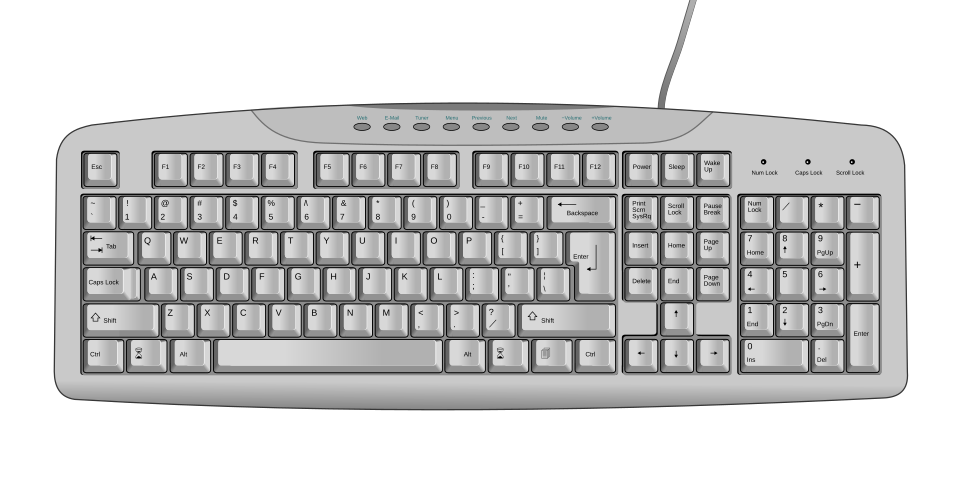
A keyboard layout illustrates desktop input, which can remain useful when launching a VR session. Photo: Mysid; derivative by Incnis Mrsi, Public domain, Wikimedia Commons.
Identify the launch route
Start with the instructions supplied by the creator. An installed application may ask you to use a particular runtime and supported headset connection. A web experience begins with a browser and may offer an immersive mode only when the required capabilities are available.
Write down the actual route before troubleshooting. Include the application or page, the headset and the connection method. A screenshot of a VR scene alone does not reveal this information. Neither does the presence of a headset in a promotional image establish how the software is intended to run.
Understand the runtime’s role
A runtime is part of the software environment used by compatible immersive applications. SteamVR is one example. The relevant installation and setup information should come from the runtime, headset and application’s official documentation, considered together.
Installing a runtime does not prove that every game or video will use it. An ordinary desktop game may remain an ordinary game even when displayed inside a virtual room. A separate adaptation may have its own requirements and limitations. Describe those arrangements specifically instead of assuming that one installation changes an entire library.
Understand the browser route
A browser experience can provide an ordinary page, a nonimmersive preview and an immersive mode as distinct parts of one visit. MDN’s WebXR documentation describes interfaces used for supported immersive web experiences. Availability still depends on the application’s implementation and the browser and device involved.
Look for the page’s own compatibility information and controls. If an immersive button is absent or unavailable, do not assume that the same desktop-runtime instructions apply. First determine what the page is designed to offer and whether the current setup meets its stated requirements.
Separate a scene from a recording
Either journey can lead to different kinds of content. An interactive environment responds to actions according to its design. A panoramic recording lets the viewer inspect a captured view while its recorded position and sequence remain fixed. An ordinary video on a virtual screen preserves the original film’s framing.
These distinctions help explain what the controls should do. Turning your head to inspect a panorama is not the same as moving a character through a game world. A clear source description tells you which choices are available, so that missing interactions are not mistaken for setup failures.
Troubleshoot from the point of failure
Notice where the process stops. Is the headset recognized? Does the application launch? Does the browser offer the intended mode? Does the picture appear but use an incorrect layout? Each observation points to a different part of the journey.
Keep the first test short and change one thing at a time. Follow official instructions before installing extra tools or copying settings from a different setup. A small record of the device, software and observed behaviour is more useful than a long list of adjustments whose effects are unclear.
Choose a route for the specific experience
Some content offers several supported ways to begin; other content expects one. Use the route the creator documents for your device. If you compare alternatives, keep the source and purpose clear so that differences in the presentation are not attributed to the wrong component.
The practical benefit of understanding these starting points is a better question. Instead of asking why VR does not work, you can describe which application, browser mode or connection needs attention. Once that route is established, the focus can return to the game, scene or video you actually wanted to explore.